What is an Opportunity?
An opportunity is a request from a client organization that is looking for lobbying support. It summarizes the policy work, jurisdiction, budget, timing, and commercial terms so your firm can decide whether the work is a good fit.
Opportunities are the starting point for new client work in Civalta. Reviewing an opportunity does not commit your firm to the work. If you are interested, you can begin a proposal from the opportunity details page.
Browse opportunities
Open Opportunities from the left navigation to discover available work and return to opportunities your organization has already reviewed.
Use the view categories to move between:
- All Opportunities: All public and invited opportunities currently available to your organization.
- Public: Opportunities that eligible lobbying firms can discover and review.
- Invited: Opportunities shared directly with your organization by a client.
- Proposals: Opportunities where your organization has started or submitted a proposal.
Each opportunity card gives you a quick overview of the client, jurisdiction, issue areas, scope summary, budget or retainer, invoicing cadence, and expected service period.
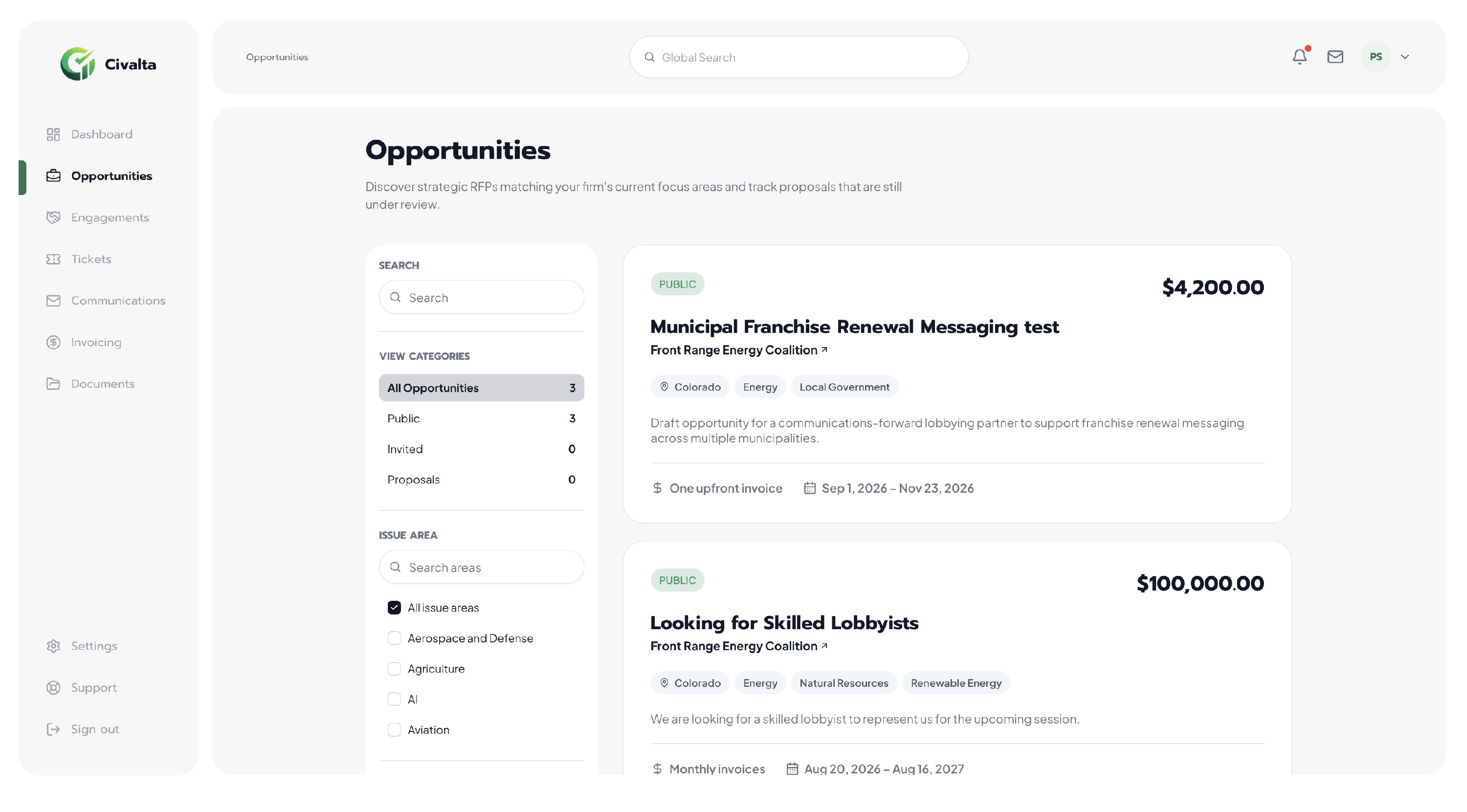
Opportunity cards summarize the client, work, budget, billing cadence, and service period before you open the full details.
Find relevant opportunities
Use search and filters to focus on opportunities that align with your firm’s experience and capacity.
- Search: Find an opportunity by title, client, or keyword.
- Issue area: Select one or more policy areas that match your practice.
- Jurisdiction: Limit results to the location where the work will take place.
- Budget range: Narrow opportunities by their stated budget or retainer.
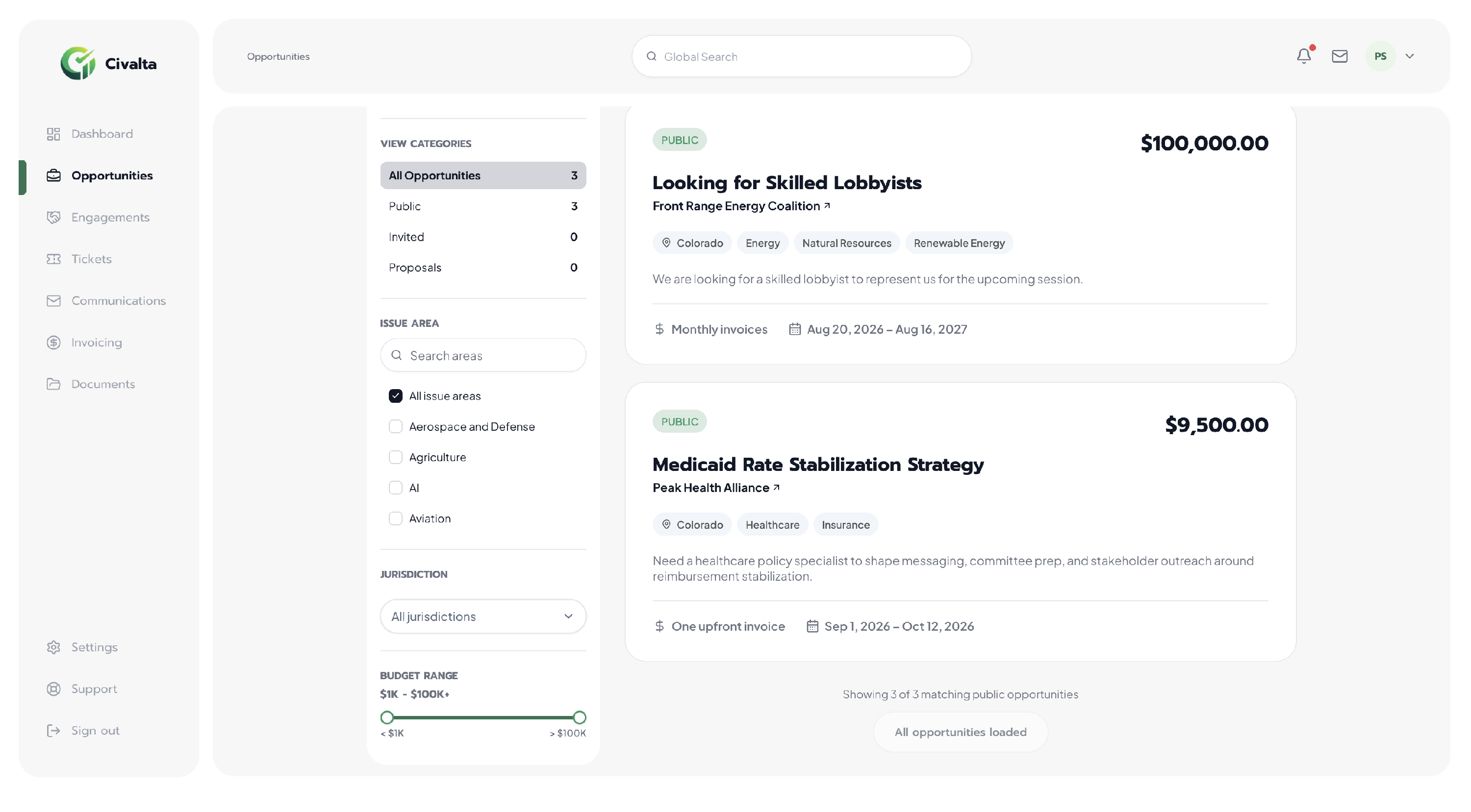
Combine issue-area, jurisdiction, and budget filters to narrow the opportunity list.
Review an opportunity
Select an opportunity card to open its details page. Review the complete scope and commercial terms before deciding whether the work is appropriate for your organization.
You may find:
- Client name and scope summary
- Jurisdiction and issue areas
- Budget or retainer total
- Contract type and invoicing cadence
- Service period and first invoice date
- Proposal deadline, if the client set one
- Client organization profile and verification status
- Supporting documents uploaded by the client
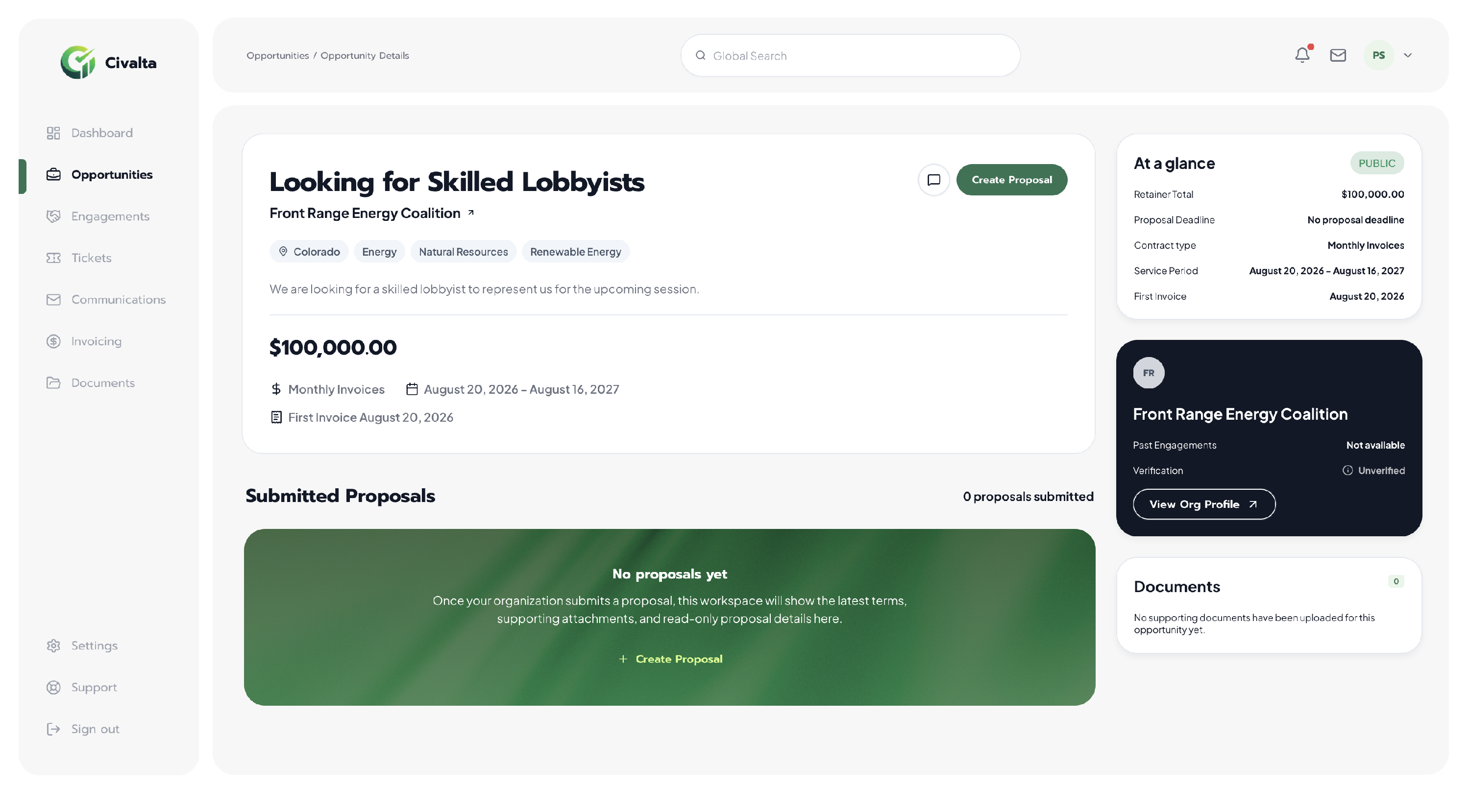
The details page brings the opportunity terms, client information, supporting documents, and next action into one workspace.
What you can do next
Use the opportunity details to assess fit, review the client organization, and read any supporting documents. If you need clarification, use the conversation control on the opportunity to contact the client.
If you decide to respond, select Create Proposal. For step-by-step instructions, see Submit a Proposal.
Submitting a proposal does not create an engagement. The opportunity becomes active client work only after both parties agree to move forward and complete the required contracting steps.